Solid Security Plugin Review: Is It Worth It?
When it comes to running a WordPress website, security should be your top priority. With thousands of websites getting hacked every day, it’s crucial to protect your site from brute force attacks, malware, unauthorized logins, and more. In this post, we’ll take a deep dive into Solid Security — formerly known as iThemes Security — to determine if it’s the only plugin you really need to keep your WordPress site safe.
🔐 What is Solid Security?
Solid Security is a powerful all-in-one WordPress security plugin developed by the team at iThemes. It offers a wide range of features designed to protect your site from common vulnerabilities, automate routine security tasks, and monitor for suspicious activity — all without slowing down your site.
Download Solid Security Plugin (FREE)
🛡️ Key Features of Solid Security
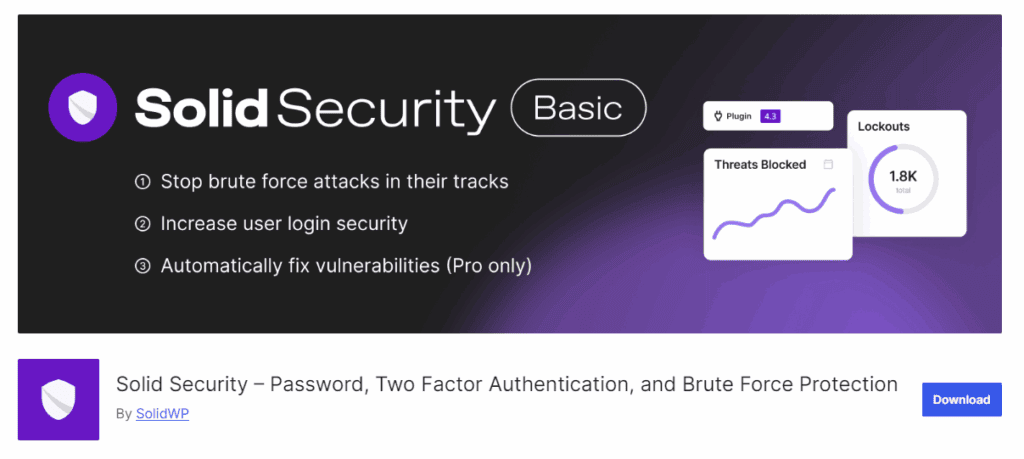
Here are the standout features that make Solid Security one of the most recommended plugins for WordPress users:
1. Brute Force Protection
Protects your site from bots and repeated login attempts by limiting login retries and blacklisting IPs.
2. Two-Factor Authentication (2FA)
Adds an extra layer of login security with support for authentication apps like Google Authenticator, backup codes, and email verification.
3. File Change Detection
Automatically notifies you when files on your site are modified — a common sign of malware infection or unauthorized changes.
4. Site Scan & Malware Detection
Monitors your website for known threats and vulnerabilities with daily scans.
5. User Security Monitoring
Keeps track of user activity like failed logins, password changes, and more — great for multi-author blogs or membership sites.
6. Security Templates
Pre-configured security settings for different types of websites (e.g., blog, eCommerce, portfolio) help you get started quickly.
⚙️ How to Set Up Solid Security in WordPress
Setting up Solid Security is easy and beginner-friendly. Here’s a quick overview:
- Install the Plugin
Go to Plugins > Add New and search for “Solid Security.” Install and activate it. - Run the Setup Wizard
After activation, launch the setup wizard. Choose your site type, enable recommended features, and create a backup if prompted. - Configure Key Modules
Customize settings like brute force protection, 2FA, email alerts, and file monitoring based on your needs. - Review Security Dashboard
Get a quick overview of your site’s health, threat logs, and user activity directly from the dashboard.
💸 Free vs Pro – Which One Should You Choose?
While the free version offers powerful features like login protection and file monitoring, upgrading to Solid Security Pro unlocks:
- Scheduled malware scans
- User logging reports
- Magic login links
- reCAPTCHA integration
- Password expiration
- Trusted devices detection
If you manage multiple sites or run an eCommerce store, the Pro version is worth the investment.
FAQs
📝 Final Verdict: Is It the Only Security Plugin You Need?
Yes, for most WordPress users — Solid Security is all you need.
It combines all the essential protections into a single, easy-to-use interface. Whether you’re a beginner or a developer, the plugin adapts to your workflow.
If you want peace of mind without juggling 5 different security plugins, Solid Security is a smart choice.
💬 Have You Tried Solid Security?
Let me know your experience in the comments below — or if you use a different plugin (like Wordfence or Sucuri), I’d love to hear why!